


























 |  |
VGA to Component Video Cables
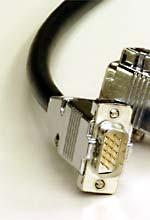
If you need a component video cable to connect an HD15 (also frequently referred to as a "VGA") plug to three RCA or BNC plugs--to run component video into a projector, for example--we have a couple of options for you. Because HD15 plugs are so small, and the pins are so closely spaced, they will fit only small-sized cables; there are two possible answers to this problem. Either (1) one can use a very small cable which fits the 15-pin plug, but which unavoidably will lead to greater signal loss per foot than a full-sized cable, or (2) one can use full-sized cable right up to the device which takes the 15-pin plug, and then use a VGA "breakout" adapter to run the last foot of the distance in small cable, hooking the full-sized coax to the mini-coax with 75 ohm BNC connectors. Which of these is the better option will depend on run length; for a very short run, it's obviously better to have fewer connections, and go with the mini-coax. For a very long run, it's obviously better to use low-loss cable together with a breakout. In the middle--well, it's hard to say where the breakpoint occurs. Our somewhat arbitrary rule of thumb is that we suggest using a breakout for anything fifteen feet or longer.
One note: before you order any component-to-HD15 cable, be sure that your devices will support this connection. Almost all devices which use an HD15 connector will support an "RGBHV" type signal, but not all will also accept, or put out, a component video (Y/Pb/Pr) type signal. If you try to hook, say, a DVD player's component video output to an ordinary computer monitor using one of these cables, it just won't work--a cable can hook it up, but it can't convert one kind of video signal to another. If your device will support component video through the HD15, you're in business; if the manual doesn't say it will, it probably won't.
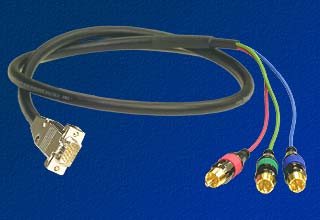
The One-Cable Solution: Belden 1522A
Our single-cable HD15 to component video cables are made with Belden 1522A, a bundle of miniature coaxial cables. This extraordinary cable is a sort of junior version of Belden's superb full-sized precision video cables; each of the tiny coaxes in a 1522A bundle is fully shielded both in two-layered foil and with a dense tinned copper braid, and then the whole bundle is wrapped in an outer foil shield with drain wire. For component video, we connect three of these coaxes to the red, green and blue pins in the HD15 connector, and the shield braids to the grounding pins. At the other end we use solder-type RCA plugs from Calrad designed to fit small coax, or, if you need BNCs, crimp-type 75 ohm BNC plugs from RF. View the technical specs for Belden 1522A.
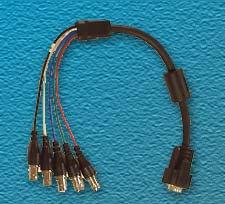
The Two-Part Solution: Breakout Adapter with Component Cable
Over long runs, the difference in signal attenuation between mini-coax like Belden 1522A and full-sized coax like Belden 1694A or 7710A can become substantial; but since full-sized coax won't fit into an HD15 plug, one can obtain the benefits of a full-sized cable run only through a breakout adapter, which takes an HD15 plug at one end and sends the component video signal out to three female BNC connectors; with this breakout, you can then use any of our component video cables to complete the run (yes, we do offer all of our component cables with BNCs at one end or both). The Calrad breakout has five BNC outputs, but when using it for component video, you need to connect only the red, green and blue; the others can be left hanging or can be snipped off if you prefer.
We are often asked: why use BNCs here? Doesn't component video usually run through RCA plugs? The answer is that BNCs are a superior connector type for video in two important respects. First, BNCs actually bayonet into place and lock to each other, eliminating any problems with loss of connection through vibration and the like. Second, BNC connectors, unlike RCA plugs and jacks, can be made to a true 75 ohm impedance from end to end (and despite what you may have read elsewhere, there's no such thing as a true 75 ohm RCA connection--see our article on this subject if you'd like a full explanation). Maintaining a true 75 ohm impedance minimizes signal reflections which can cause loss of image quality. Regardless, if you do want female RCAs on the breakout adapter, we do offer an HD-15 to three female RCA breakout for this purpose, at the same price as the BNC breakout. Alternatively, one can use the BNC breakout with three BNC/RCA adapters, which we also offer.
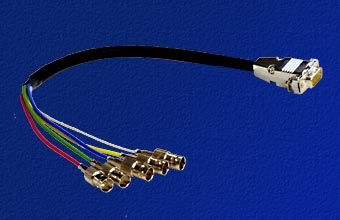
Belden 1522A Breakout Adapter:
As an alternative to the Calrad breakout, we offer our own breakout, made with the Belden 1522A cable described above and with RF female BNCs. This breakout adapter is more costly than the Calrad, and although it technically is the better adapter, we've had great results with the Calrad. In most applications there will be no observable difference between the adapters, so as a general rule we recommend the Calrad. Our five-way breakout is pictured to the right; this adapter is available both in five-way and three-way versions.
The tables below contain these breakouts, along with prices for six-foot or longer lengths of our three most popular Belden component video cables: 7710A, 1694A, and 1505F. As noted, however, we can produce any of our component video cables with BNC plugs, so if you prefer, for example, Canare V3-5CFB component cable, you can order the breakout from this list and then order the accompanying component video cable from our main component video cable department or from our "shop by cable type" area. Just remember, when ordering the component video cable, to specify BNC plugs on the end of the cable which will connect to the breakout.
As with all of our products, we offer a simple and easy return policy. If for any reason you're not completely satisfied, just return the cables, undamaged, within 30 days and we'll refund your purchase price in full.
To Order:
Just fill in your cable length in feet in the appropriate form below, select any applicable options, and the price will display to the right. To purchase, click "add to cart."
Breakout Adapters:
(One-foot long HD15 to Female BNC or RCA Cables;
For use in conjunction with full-sized cables that have male BNCs or RCAs)
| Type | Price |
|---|---|
| HD15 to 5 Female BNC | |
| Belden 1522A HD15 to 3 Female BNC | |
| Belden 1522A HD15 to 5 Female BNC |
BNC/RCA Adapter:
These adapters are needed ONLY if you need to couple a female BNC-terminated breakout to RCA connectors; if you're buying a component cable with BNCs to connect to the breakout, or you're using an RCA-terminated cable with a female RCA breakout, you will NOT need these.
| Male BNC/Female RCA Adapter (to use BNC breakout with RCA-terminated cable; need 3 or 5) |
Component Video Cables
Any of these may be used with the breakouts above. Be sure to order compatible connectors--e.g., if your breakout has female BNCs, you will want that end of your component video cable to have male BNCs to fit it.